Introduction: The "Check Engine" Light of Your Website
Imagine driving your car down Great East Road, and suddenly, a blinking red "Check Engine" light flashes on your dashboard.
What do you do? Do you ignore it, turn up the radio, and hope the engine doesn’t explode? Or do you pull over, call your mechanic, and figure out what’s wrong before you get stranded halfway to Kitwe?
Yet, many business owners treat their websites the exact opposite way. They launch a site, walk away, and never look under the hood again. Months pass, traffic drops, sales dry up, and they wonder why nobody is calling. They have a digital "check engine" light glaring right in their face, but they refuse to look.
If your website isn't bringing in customers, your first step shouldn't be spending thousands of Kwacha blindly on new social media ads. Your first step needs to be a comprehensive website SEO audit Zambia.
An SEO audit is a complete health check of your digital property. It tells you why Google is ignoring you, where your site is leaking traffic, and what you need to fix to rank on page one. Let’s walk through a complete, step-by-step checklist to audit your website like a professional.

Phase 1: The Technical Foundation Audit (The Infrastructure)
Before you look at words or images, you have to check if search engines can actually crawl and understand your website's plumbing. If your technical foundation is broken, nothing else matters.
1. Check Your Indexing Status (Is Google Home At Your Address?)
As I covered in my guide on how to rank on Google, if Google doesn't know your site exists, you are invisible.
The Audit Task: Open Google and search site:
yourdomain.co.zm.The Fix: If no pages show up, your site isn't indexed. Set up a free Google Search Console account, submit your XML sitemap, and request indexing immediately. Check your site settings to ensure a stray
noindextag isn't accidentally blocking search crawlers.
2. Verify Your SSL Security (The "Not Secure" Warning)
If your website address starts with http:// instead of https://, browsers will flag your site with a scary red "Not Secure" warning. No Zambian client will enter their phone number, email, or payment details on an unsecure site.
The Audit Task: Look at your browser’s address bar. Do you see a padlock icon?
The Fix: Contact your web developer or hosting provider to install a valid SSL certificate immediately. Google actively penalizes unsecured websites in search rankings.
3. Test Your Mobile Responsiveness
Over 80% of web traffic in Zambia comes from mobile phones. If your site requires users to pinch and zoom on an Android or iPhone, your technical foundation fails.
The Audit Task: Open your website on your phone. Can you read the text without zooming? Do the buttons tap easily? Does the layout break or overlap?
The Fix: Upgrade your template to a modern, fully responsive design that scales seamlessly across all screen sizes.
Phase 2: The Speed and Performance Audit (Surviving 3G & Load Shedding)
When load shedding hits and users are browsing on congested mobile networks, speed is the difference between a sale and a bounce.
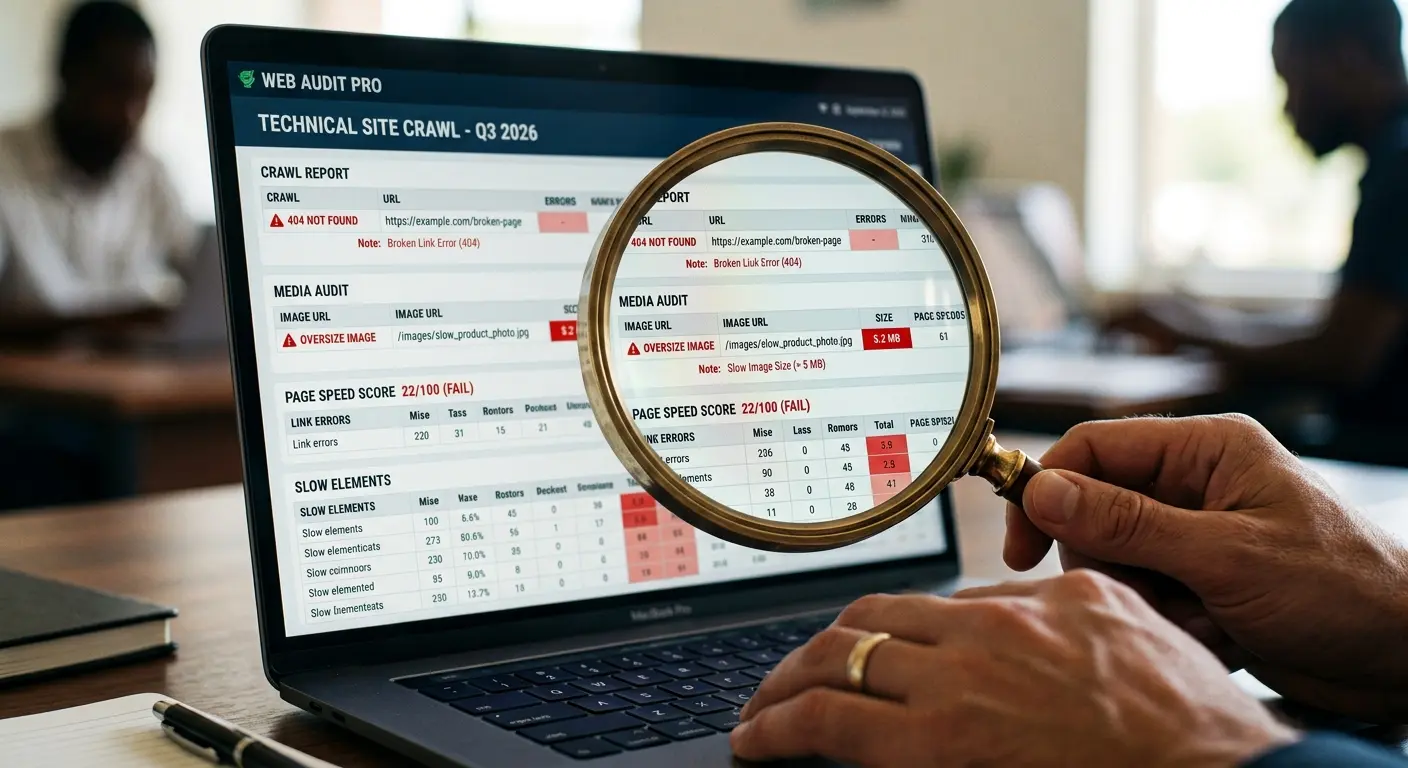
4. Run a Core Web Vitals and Page Speed Test
Google measures how fast your pages load and how quickly they become interactive. If your homepage takes 12 seconds to load, visitors will leave before seeing your logo.
The Audit Task: Run your URL through free tools like Google PageSpeed Insights or GTmetrix. Look at your mobile and desktop score.
The Fix: Compress massive, uncompressed images (never upload raw 10MB photos), remove bloated plugins, and upgrade to high-performance web hosting with solid-state drives (SSDs).
Phase 3: The On-Page Content and Keyword Audit
Now that the plumbing works, let's look at what is written on your pages. Are you speaking the language your customers use, or are you talking to yourself?
5. Review Your H1 and Title Tags
Every single page on your website must have a clear, unique Title Tag and a single H1 heading that tells Google what the page is about.
The Audit Task: Check your homepage title. Does it just say "Welcome to Our Website"? That’s a wasted opportunity.
The Fix: Rewrite your titles to include your primary service and location. Example: “Affordable Web Development Services in Zambia | Your Brand”. Ensure every page has one—and only one—H1 tag.
6. Audit Your Content Quality and Keyword Alignment
Are your pages stuffed with keywords awkwardly, or do they answer real customer questions?
The Audit Task: Read through your core service pages. Do they clearly explain what you do, who it's for, and how much it costs (or how to get a quote)?
The Fix: Remove robotic keyword stuffing. Write natural, conversational copy that directly solves customer pain points. Ensure you are targeting long-tail terms relevant to your business.
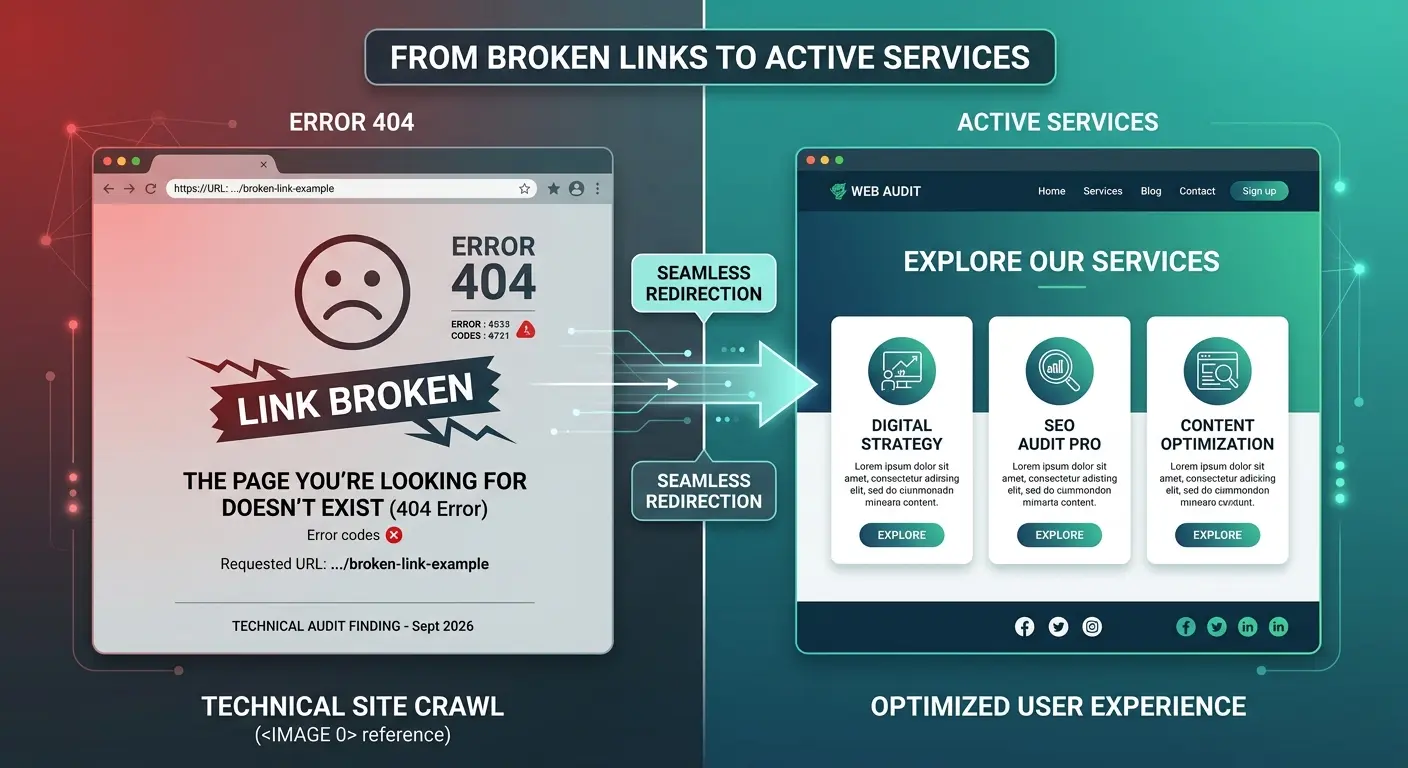
7. Check for Broken Internal and External Links (404 Errors)
Nothing annoys a user faster than clicking a button labeled "Our Services" and landing on a dead "404 Page Not Found" error screen.
The Audit Task: Use a free crawler tool or a WordPress plugin to scan your site for broken internal links.
The Fix: Update or redirect broken links to active, working pages so users and Google bots never hit a dead end.
Phase 4: The Local SEO and Google Business Profile Audit
For businesses operating in Lusaka, Kitwe, Ndola, or across specific regions, local search is where revenue lives.
8. Audit Your Google Business Profile
Is your Google Maps listing active, verified, and optimized?
The Audit Task: Search for your business name on Google Maps. Are your operational hours correct? Is your phone number current? Do you have recent customer reviews?
The Fix: Claim your profile, update your NAP (Name, Address, Phone Number) consistency across the web, upload fresh local photos, and start systematically asking satisfied clients for reviews.
9. Check Your Local Keyword Signals
Does your website clearly state where you operate?
The Audit Task: Look at your footer and contact pages. Do you mention your city and physical neighborhood?
The Fix: Naturally integrate local references (e.g., "Serving clients across Lusaka, from Kabulonga to the Industrial Area") into your copy to help Google rank you for local intent searches.
Phase 5: The Conversion and User Experience (UX) Audit
An SEO audit isn't just about traffic; it's about whether that traffic actually turns into money.
10. Check Your Calls to Action (CTAs)
The Audit Task: Go to your top pages. Within 5 seconds of landing on the page, is it crystal clear what the user is supposed to do next?
The Fix: Add prominent, high-contrast CTA buttons like "Get a Free Quote" or a direct floating WhatsApp chat button so interested leads can contact you instantly.
How Often Should You Run an SEO Audit?
An SEO audit is not a one-time event; it is a routine checkup.
Small businesses should run a mini-audit every 6 months.
E-commerce sites or fast-growing corporate portals should audit their technical health quarterly.
Search algorithms change, plugins update, links break, and competitors alter their strategies. Staying on top of your audits ensures your digital doors always stay wide open.
If your audit reveals that your website is too outdated, slow, or broken to fix with simple tweaks, it might be time for a complete structural overhaul. Read my guide on Website Redesign in Zambia: 15 Signs Your Site Needs an Upgrade to evaluate if a fresh build is your best path forward.
Or, if you are ready to invest in professional assistance to fix these technical hurdles, review my transparent breakdown on How Much Does SEO Cost in Zambia?
Stop letting hidden technical errors choke your growth. Run your audit, fix your foundation, and claim your space at the top of Google.